

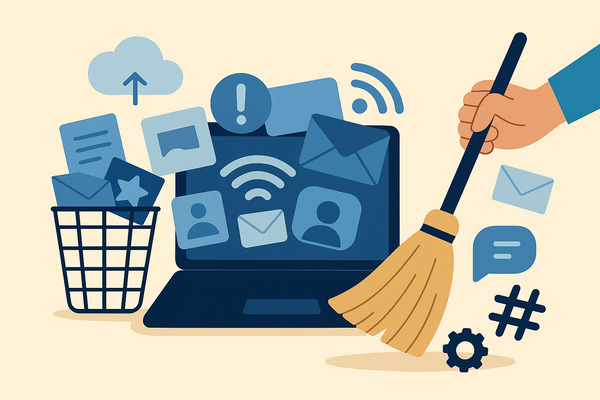
Introduction: Understanding the Impact of Digital Clutter
Digital clutter refers to the excessive accumulation of files, photos, emails, apps, and data on your devices. Unlike physical clutter that is visible in your home, digital hoarding occurs invisibly across phones, desktops, hard drives, and cloud storage.
From thousands of unused photos to emails dating back years, duplicate files, and forgotten apps, digital clutter can be just as toxic to your mental health as physical mess. Studies reveal it triggers stress and anxiety, impacting focus and productivity.
Even though digital clutter isn’t physically visible, the mental toll is significant. Your brain constantly filters unnecessary information, leading to decision fatigue and mental exhaustion. Research shows it contributes to 19% of depression and 15% of stress levels, symptoms often associated with digital burnout.
Fortunately, digital decluttering works. By organizing files, deleting unnecessary data, and embracing digital minimalism, you can reclaim mental clarity and reduce overwhelm. Start by creating sustainable systems that support your life and reduce chaos.
And the best way to keep your digital life healthy is by reducing spammy and unwanted emails. If you want to clean all of that with just one swipe, you can use our Cleanfox tool for free.
Identify and Prioritize Areas of Digital Clutter
Before tackling your digital clutter, it’s important to pinpoint where the problem lies. Most of us have clutter spread across multiple devices and platforms—your phone, desktop, hard drives, email accounts, and cloud storage all competing for attention. The key is identifying the areas causing the most friction and stress.
Start by taking inventory: Where do you spend the most time? Where do you feel the most overwhelmed? Is it your overflowing email inbox that creates anxiety every morning, or your phone’s storage constantly warning you it’s full?
By pinpointing your biggest pain points, you can prioritize decluttering efforts and see results faster, building momentum to tackle the rest.
Email Management
Your email inbox is often ground zero for digital hoarding. Over the years, most people accumulate thousands of emails, each representing a small decision you never made—keep, delete, archive, or respond. The good news? Email is one of the easiest areas to declutter thanks to powerful digital tools.
Start by being ruthless about unsubscribing. Every newsletter, promotional email, and mailing list you’re not actively reading is just noise. Take the time to find the unsubscribe link rather than repeatedly hitting delete—your future self will thank you.

Say goodbye to spam, clutter, and chaos.
Our smart email cleaner filters out junk, organizes your inbox, and helps you focus on what really matters.
✅ Block spam automatically
✅ Organize emails by priority
✅ Keep your inbox clean
✅ Clean old emails you don’t read
📱 Available on the App Store and Google Play.


If you enjoy newsletters from your favorite websites but find them cluttering your primary inbox, set up a separate email address devoted to promotions. This simple strategy removes tons of clutter from where you actually need to focus.
Next, implement the two-minute rule for managing email clutter. If an email can be responded to or dealt with in less than two minutes, handle it immediately.
For everything else, use the delete, delegate, or respond framework: delete what you don’t need or want; delegate to the appropriate person if someone else should handle it; or respond if it requires your attention. Then archive or delete the thread.
Be decisive and ruthless when archiving emails that don’t require further action, and avoid using your inbox as a storage bin.
Leverage email management tools to speed up the process. Tools like Cleanfox and Unroll.Me help organize incoming emails, unsubscribe in bulk, and create automated rules to archive or delete messages.
Set up filters and rules so emails are automatically sorted into specific folders—bank statements go to Finance, emails from friends stay in your main inbox, and promotional content gets filtered elsewhere. Additionally, handle large emails smartly by identifying and deleting or archiving emails with large attachments, or downloading the attachments you need and removing the email itself.
File Organization
Your desktop, hard drives, and cloud storage often become digital dumping grounds where files accumulate with no rhyme or reason. To tame this chaos, implement a consistent naming convention and folder system that makes sense to you. Create a clear structure—organize documents based on themes, projects, or categories that align with how you think about and search for information.
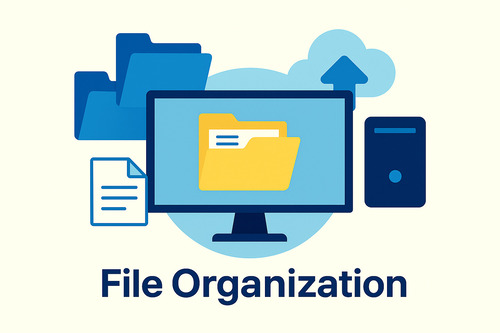
Start by moving files off your desktop and into organized folders or cloud storage. A cluttered desktop isn’t just an eyesore; it slows down your computer and creates cognitive load every time you look at your screen. Implement the “one home rule”: every file should have a designated home where it belongs.
This prevents duplicate files scattered across folders and makes searching faster.
Delete mindfully by reviewing files you haven’t opened in three or more years. If the file doesn’t spark joy or serve a purpose, let it go with gratitude. Upload photos to cloud storage and delete duplicates from your devices to free up valuable space.
Use bulk operations and search functions to delete files efficiently rather than selecting them one by one. Digital tools with AI technology can sort through your photos, identifying duplicates or similar shots for bulk deletion.
Back up important documents before deleting anything, then empty your trash folder to ensure files are truly gone. Don’t let your hard drives become a graveyard of files you “might need someday.”
Make the decision to delete or archive, execute it, and move forward. Consider offloading photos to external hard drives or cloud services to manage storage space effectively.
Finally, schedule regular maintenance—set aside time weekly to sort through files and delete unnecessary ones so they don’t accumulate again.
App and Software Rationalization
Your phone and computer likely have dozens of apps you’ve forgotten about, each consuming storage space, processing power, and mental energy. Take time to audit what’s installed and what you’re actively using.
Every app you don’t regularly use represents clutter that slows down your device and complicates your digital life.
Uninstall apps that don’t add value to your life. Be honest: are you really using that meditation app, language learning app, or fitness tracker? If you haven’t opened an app in weeks, it’s taking up space for no reason.
Close unused accounts associated with those apps, which also reduces digital hoarding across your online presence.
For the apps you do keep, manage notifications as part of setting healthy tech limits. Turn off push notifications for apps that don’t genuinely need your immediate attention. Constant pings and alerts are a form of digital clutter that fragments your attention and creates stress.
Keep only the notifications that serve a real purpose in your life, and silence the rest. This simple act alone can significantly reduce the anxiety and mental fatigue associated with digital life.
Implementing a Maintenance Routine
Regular Reviews
Maintaining a clutter-free digital life requires more than a one-time purge; it demands consistent upkeep through regular reviews. Set aside dedicated time weekly or monthly to go through your digital spaces—your email inbox, folders, apps, and photos—checking for unnecessary files or data that have accumulated since your last session. This habit keeps clutter from building up again, preventing that overwhelming sensation and helping you stay in control.
Scheduling these reviews in advance turns maintenance into a manageable routine rather than a daunting task. A well-timed review also ensures you catch duplicates, outdated files, or unused apps early, before they bog down your device or mental space.
Automation Tools
Leverage digital tools that automate parts of your decluttering process to save time and energy. Automation can sort emails into folders, delete spam, or back up important files without requiring constant manual supervision. For example, apps like CleanMyMac or email management services can perform routine cleanups, empty trash folders, and uninstall unused programs with minimal input.
You can also set reminders for recurring decluttering tasks using calendar apps or project management software, so you don’t have to rely solely on memory or motivation. By combining automation with your manual efforts, you can sustain a clutter-free digital environment with less stress and effort over time.
Creating Digital Habits
Long-term digital decluttering comes down to the small digital healthy habits you cultivate daily. Simple acts like deleting emails as soon as you read them or regularly clearing your downloads folder prevent digital clutter from piling up again.
Make it a rule to immediately uninstall apps you no longer use and to organize new files into predetermined folders when saving them. These habits lower cognitive load by keeping your digital spaces orderly and intuitive.
Additionally, turning off non-essential notifications and limiting the number of apps on your home screen can reduce unnecessary distractions and help you focus on what truly matters. Over time, these thoughtful habits form a digital minimalism mindset that supports both productivity and mental clarity.
Embrace Digital Minimalism for Long-term Benefits
The Philosophy of Less is More
Digital minimalism represents a fundamental shift in how you approach technology and your digital life. Instead of accepting every app, notification, and digital tool that comes your way, digital minimalism asks a simple but powerful question: does this actually add value to my life?
This philosophy strikes a balance between two extremes—rejecting technology entirely and using it without boundaries. Instead, it encourages you to curate your apps, tools, and digital routines to align with your priorities and values.
Think of digital minimalism as intentional technology use. Keep the apps and digital spaces that genuinely serve your goals, creativity, and relationships. Delete the rest—without guilt.
This approach is rooted in the 80/20 principle: by doing less but focusing on higher-quality activities, you generate more total value for your life. You’re not aiming for perfection or eliminating technology entirely; you’re being strategic about what earns a place in your digital world.
Embracing this philosophy allows you to reclaim control from algorithms, notifications, and endless scrolling that drain your time and attention.
The beauty of digital minimalism lies in its ability to provide both clarity and direction. It challenges you to reflect on your current digital habits—why do you have that app, why are you following those accounts, why do you check your phone first thing in the morning?—and evaluate whether these choices align with your true priorities.
If you’re struggling with digital hoarding or feeling overwhelmed by digital clutter, digital minimalism offers a framework for intentional change, rather than reactive decluttering.
Benefits of a Decluttered Digital Life
Decluttering your digital life brings transformative benefits beyond organized folders. The most immediate is reduced stress—fewer notifications mean lower cortisol levels and diminished anxiety from constant digital demands.
Enhanced Presence and Relationships
Without your phone’s constant interruptions, you become truly present with loved ones. Family dinners, conversations with friends, and meaningful connections deepen when you’re not mentally split between the physical and digital worlds. Digital minimalism creates space for what genuinely matters: deep work, authentic connections, and real rest.
Boosted Creativity and Focus
When your mind stops constantly processing digital noise, creativity flourishes. Those natural moments of reflection that existed before smartphones—the mental wandering that sparks new ideas—return. Your focus sharpens dramatically without the fragmentation of multitasking across countless apps and notifications.
Improved Security and Privacy
Fewer accounts and apps mean a smaller digital footprint and reduced vulnerability to data breaches. Each eliminated digital space decreases your exposure to potential security threats, with this protection compounding over time as you remain intentional about which tools you truly need.
Transformed Technology Relationship
Most significantly, digital minimalism fundamentally changes how you interact with technology. Instead of devices eroding your time, attention, and well-being, they become tools supporting your best life. You use technology intentionally, on your terms, rather than being controlled by it.
This shift from passive consumption to active curation distinguishes a cluttered digital existence from one that feels connected, meaningful, and genuinely free. Digital minimalism isn’t about rejecting technology—it’s about reclaiming agency over your attention and life.
Conclusion: Taking Control of Your Digital Environment
Digital clutter can significantly impact your focus, productivity, and mental health, much like physical mess does. By identifying problem areas, organizing files, managing apps, and embracing digital minimalism, you can reclaim control and clarity in your digital life.
Regular reviews, the use of automation tools, and adopting mindful habits are key to ensuring lasting results. A decluttered digital environment leads to less stress, better time management, and improved overall well-being.
Don’t wait—start today by deleting unused apps, sorting folders, and unsubscribing from unnecessary emails. Your digital spaces deserve care, and your mind will thank you for it.
FAQ
How often should I schedule digital decluttering sessions to maintain an organized online life?
To maintain an organized online life, schedule digital decluttering sessions at least once every quarter. For optimal results, consider monthly sessions. Regular maintenance—such as weekly or monthly reviews—keeps your digital environment tidy, prevents clutter buildup, and ensures your systems remain optimized and secure.
Adjust the frequency based on your personal digital habits and needs.
What are the most effective tools or apps to automate and simplify digital decluttering?
Some of the most effective tools for automating and simplifying digital decluttering include:
- Notion: Ideal for organizing life and tasks.
- Google Photos: Streamlines photo management.
- Unroll.me: Perfect for email cleanup.
- Trello: Helps organize projects efficiently.
- Freedom: Blocks distractions to enhance focus.
- Google Drive: Centralizes file storage in the cloud.
How can I securely back up important files while reducing digital clutter?
Follow the 3-2-1 backup rule to securely back up files:
- Keep three copies of your data.
- Store them on two types of media.
- Ensure one copy is stored off-site.
Additionally, encrypt backups, enforce strict access controls, and use offline or air-gapped storage to prevent breaches. Regularly test backups and organize your data to minimize clutter.
What are practical steps to reduce email clutter and manage subscriptions efficiently?
To reduce email clutter and manage subscriptions efficiently:
- Unsubscribe from unwanted newsletters.
- Set up automatic filters to sort incoming emails.
- Use labels and folders to categorize messages.
- Schedule dedicated times for checking emails.
- Archive non-essential messages and delete large attachments.
Consider using email management apps like Clean Email to automate and simplify the process.