


Losing access to your Gmail account can be a stressful experience, whether it’s due to accidental deletion or forgotten credentials. Fortunately, Google offers multiple ways to recover your account, enabling you to regain access swiftly if you follow the correct steps. This comprehensive recovery guide will walk you through the process of recovering a deleted Gmail account and outline available options.
If you’ve recently deleted your Google account, you still have a limited window to recover it. Google understands that account deletion may happen by mistake, so they’ve implemented recovery mechanisms to help users restore their accounts.
After deleting a Gmail account, you’re not locked out permanently. Google allows recovery within a specific timeframe by verifying ownership through security questions, recovery email, or phone number. This ensures access to your emails, contacts, and stored data. Setting up recovery contacts and maintaining accurate information can prevent future lockouts.
And if you want to keep your email account clean, protected, and free of spam in the future, you can use the Cleanfox platform for free — it helps you keep unwanted messages out of your inbox automatically.
Understanding the Recovery Time Frame
What is the Google Account Recovery Period?
When you delete your Google account, it isn’t permanently lost right away. Instead, Google offers a recovery window, allowing you to restore your deleted Gmail account if you act in time. Google typically allows a recovery period of up to 30 days for consumer Gmail accounts, during which you can recover your account as long as you can successfully verify your identity.
During this recovery period, you can follow Google’s account recovery steps to restore your deleted Gmail account and regain access to your emails, contacts, and other data associated with that account. The recovery process involves verifying your identity through security questions and other methods, ensuring the account truly belongs to you. If you deleted your account accidentally or want it back for any reason, taking the correct recovery steps during this timeframe is your best chance to successfully recover your account data.
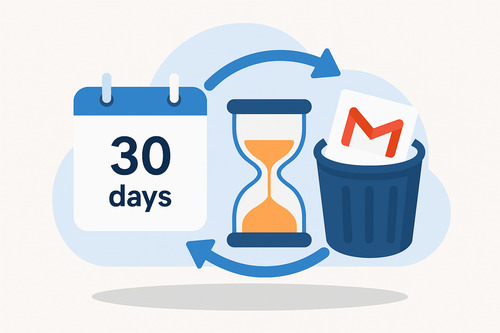
It’s important to note that certain factors can affect your ability to recover your account within this period. Accounts with a long history of regular usage are generally easier to recover compared to dormant accounts that haven’t been actively used.
Paid Google services do not extend the 30-day recovery window. After this period, the account enters permanent deletion automatically. The key takeaway is that time is of the essence—starting the recovery process as soon as possible after deletion significantly improves your chances of success.
What Happens After the Recovery Period Expires?
Once the recovery period has passed—typically after 20 to 30 days—your deleted Google account enters a permanent deletion phase. After this timeframe ends, the account and all associated data are permanently deleted from Google’s servers, making recovery extremely difficult or even impossible.
If you miss this recovery window, you will no longer be able to retrieve your deleted Gmail account through standard recovery methods.
Google employs a rigorous data deletion process to ensure complete removal. After the 30-day recovery window ends, the account enters permanent deletion. Once this process begins, the data is removed from Google’s systems and cannot be restored. Once your account enters the permanent deletion phase, Google securely removes your data from storage systems, using repeated passes to confirm complete erasure.
This means that all your email data, contacts, documents, and other information stored in your deleted Gmail account will be completely gone.
After this deadline, Google cannot restore deleted consumer Gmail accounts. At this stage, the only option is to create a new account and update your recovery information to avoid future loss of access. Your best option would be to create a new Gmail account and link it to any existing services you still have access to. This approach allows you to rebuild your online presence with minimal disruption.
If you need to start over, follow this step-by-step guide to create a new Gmail account and get back online quickly.
Understanding the recovery time frame and acting promptly within the recovery window is essential for anyone who has accidentally deleted their Google account.
Step-by-Step Guide to Recover Your Gmail Account
Visiting the Google Account Recovery Page
To begin the process of recovering your deleted Gmail account, your first step is to visit the official Google Account Recovery page. This page serves as the main hub where Google provides guidance throughout the recovery process. Simply open your browser and navigate to the Google Account Recovery page.
On this page, you’ll be prompted to enter your Gmail address or the phone number associated with your account. If you don’t remember your email address, you can use your recovery email or phone number to help Google locate your account. This is the essential starting point for all recovery attempts, whether you’ve forgotten your password, lost access, or deleted your account.
Verifying Your Identity
After entering your account details, Google will ask you a series of questions to verify your identity. These questions are designed to ensure that you are the rightful owner of the account. You may need to provide information such as your recovery email, phone number, previous passwords, or details about your account activity.
Answer these questions as accurately as possible. If you’ve set up recovery contacts or added a recovery email, Google may send a verification code to those contacts to assist you in regaining access.
The more information you can provide, the better your chances of successfully recovering your account. If you’re struggling, try using a familiar device or location, as this can also help Google confirm your identity.
What to Do If Initial Recovery Fails
If your initial recovery attempt doesn’t work and you receive a message saying Google couldn’t verify that the account belongs to you, don’t give up. You can try again after a few days, as Google sometimes allows multiple attempts.
If you’ve recently changed your recovery information, it may take up to 7 days for those changes to take effect. Try again after that period. If recovery remains unsuccessful, consider reaching out to the Google community or browsing the Google support forums. Other users who have faced similar issues may offer helpful advice.
If all recovery attempts fail, you may need to create a new Google account. Be sure to set up robust recovery options this time to avoid future problems.
Preventative Measures for Future

Say goodbye to spam, clutter, and chaos.
Our smart email cleaner filters out junk, organizes your inbox, and helps you focus on what really matters.
✅ Block spam automatically
✅ Organize emails by priority
✅ Keep your inbox clean
✅ Clean old emails you don’t read
📱 Available on the App Store and Google Play.


Implementing Strong Security Practices
To ensure your Gmail account remains safe and to avoid the hassle of recovering a deleted or compromised account, it’s essential to adopt strong security practices. One of the best ways to protect your Google account is by enabling two-factor authentication (2FA), which requires a second form of verification—like a code sent to your phone—in addition to your password. This extra layer of security significantly reduces the risk of unauthorized access, even if someone obtains your password.
Additionally, use a strong password that combines letters, numbers, and symbols, and avoid common words or easily guessable patterns. Consider using a reputable password manager to generate and store unique passwords for your Gmail account and any other accounts you maintain.
This approach prevents password reuse, which is often a security weakness that hackers exploit. Regularly monitor your account activity and be vigilant against phishing attempts—never click on suspicious links or provide your password in response to unsolicited emails. Google’s Security Checkup tool is a great resource to review your current security settings and identify potential vulnerabilities.
Maintaining Up-to-Date Recovery Options
Keeping your account recovery information current is vital to quickly regain access to your Gmail account if you ever forget your password or accidentally delete your account. Make sure your recovery email address and phone number are up-to-date and accessible to you.
This enables Google to send verification codes or recovery links directly to you during the recovery process, streamlining account recovery.
Regularly review and update these recovery options via your Google account settings to prevent losing access due to outdated or inactive contact methods. Avoid using recovery emails or phone numbers that you no longer use. In addition, periodically perform Google’s Security Checkup, which guides you in reviewing and refreshing your recovery options and alerts you to any suspicious activity.
By taking these preventative steps, you build a stronger defense for your Google and Gmail accounts and minimize downtime in case you ever need to recover a deleted Google account.
Conclusion
Recovering a deleted Gmail account is entirely possible if you act quickly within the recovery window and follow the proper steps. The key to success is understanding that you have a limited timeframe—typically 20 to 30 days—to recover your account before permanent deletion occurs.
By visiting the Google Account Recovery page, verifying your identity through security questions, and creating a strong password, you can regain access to your deleted Google account and all its associated data. However, the best approach is prevention: maintain up-to-date recovery options, enable two-factor authentication, and use strong passwords to safeguard your Gmail account from the start. Don’t wait—take action today to protect your account and ensure you never face unnecessary account recovery challenges in the future.
FAQ
How can I recover my deleted Gmail account if I no longer have access to my recovery email or phone number?
To recover a deleted Gmail account without access to your recovery email or phone, visit Google’s Account Recovery page. Enter your Gmail address and select “Try another way.” You’ll need to verify your identity by answering security questions or approving sign-in on a previously used device. If you’re unable to complete these steps, recovery may not be possible.
What steps should I follow to verify my identity during the Gmail account recovery process?
To verify your identity during Gmail recovery, start by visiting the Google Account Recovery page and entering your email. Google might request your last password, send a verification code to your recovery email or phone, or prompt you on a linked device. Make sure to answer the security questions accurately and provide correct account information.
Once verified, you will be able to reset your password and regain access to your account.
How long do I have to recover a Gmail account after it has been deleted?
You have a 30-day recovery window after deleting your Gmail account. During this time, you can restore your account and retrieve all associated data.
After 30 days, the account is permanently deleted and cannot be recovered. Act quickly to ensure successful recovery.
What should I do if I fail the account recovery form or cannot answer the security questions correctly?
If you fail the recovery form or cannot answer the security questions, try again later using a different device, browser, or network. Utilize any alternate email or phone linked to the account.
If you’re still unsuccessful, contact the provider’s support team for manual verification and further assistance.