

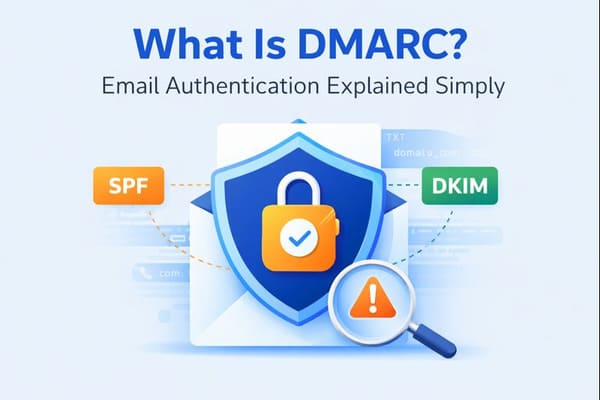
Understanding DMARC and Its Purpose
What is DMARC?
Imagine your email domain as your digital front door. DMARC (Domain-based Message Authentication, Reporting & Conformance) acts like a smart lock, verifying who’s knocking before granting access. It’s an open email authentication standard implemented as a simple TXT record in your domain’s DNS settings. DMARC builds on SPF (Sender Policy Framework) and DKIM (DomainKeys Identified Mail) to ensure that incoming emails genuinely come from authorized senders.
This record guides receiving servers on how to handle emails failing DMARC checks—whether to reject, quarantine, or monitor them. It also enables detailed reporting, helping you track unauthorized use of your domain. By aligning the visible “From” address with the domains used for authentication (SPF and/or DKIM), DMARC helps prevent fraudsters from impersonating your domain through spoofing.
And if you want to keep your inbox cleaner and better protected from unwanted emails, you can use our Cleanfox platform for free.
Why DMARC is Critical for Email Security
In today’s era of cyber threats, DMARC is a critical line of defense against phishing, domain spoofing, and business email compromise. Without it, attackers can forge emails pretending to be you, harming your reputation and enabling malicious activities. By enforcing policies like reject or quarantine, DMARC helps receiving mail servers block or divert unauthenticated messages before they reach recipients’ inboxes.
Moreover, DMARC can improve email deliverability by building trust with inbox providers, provides visibility through aggregate reports, and aligns with modern email security standards from providers like Google and Yahoo. Together with SPF and DKIM, DMARC forms a robust trio, offering domain owners control, reporting, and peace of mind in protecting their brand from fraudulent emails.

Say goodbye to spam, clutter, and chaos.
Our smart email cleaner filters out junk, organizes your inbox, and helps you focus on what really matters.
✅ Block spam automatically
✅ Organize emails by priority
✅ Keep your inbox clean
✅ Clean old emails you don’t read
📱 Available on the App Store and Google Play.


Conclusion
Dear reader, you’ve now understood that DMARC is a true powerhouse for email authentication. By combining SPF, DKIM, and policy enforcement, it effectively combats domain spoofing, phishing, and business email compromise. Additionally, it can improve email deliverability and help reduce the financial impact of email-based fraud.
Key takeaways: Start by publishing your DMARC record with a “none” policy, monitor aggregate reports for valuable insights, and then transition to a “reject” policy for maximum protection, enhanced brand trust, and compliance. Don’t delay—secure your domain today using these best practices and tools.
Taking action now means safer emails, happier inboxes, and blocked threats. Implement DMARC and take control of your email security today!
FAQ
What is DMARC and how does it work with SPF and DKIM?
DMARC (Domain-based Message Authentication, Reporting, and Conformance) is an email authentication protocol that enhances the security provided by SPF and DKIM. SPF verifies the sender’s IP address, while DKIM confirms the message’s signature. DMARC adds another layer by checking the domain alignment in the “From” field. Based on the domain’s DNS policy, receivers can decide whether to deliver, quarantine, or reject emails that fail these checks. Additionally, DMARC enables the sender to receive reports about these activities.
Why should I implement DMARC for my email domain?
Implementing DMARC helps protect your domain from phishing and email spoofing. It can also improve email deliverability, provides visibility into how your domain is being used, safeguards your brand reputation, supports compliance with industry standards, and meets the requirements of major providers like Google and Yahoo.
What are the different DMARC policies like monitor, quarantine, and reject?
DMARC policies determine how emails that fail authentication are handled:
- p=none (monitor): No action is taken on failing emails; it’s used for data collection and monitoring.
- p=quarantine: Suspicious emails are sent to the recipient’s spam or junk folder.
- p=reject: Unauthenticated emails are completely blocked.
It’s recommended to start with p=none to monitor and collect data, then gradually move to p=reject for maximum protection.
How do I set up a DMARC record in my DNS?
Follow these steps to set up a DMARC record:
- Log into your DNS provider’s management console.
- Add a new TXT record with the following details (the exact format may vary by provider):
- Host/Name:
_dmarc(or_dmarc.yourdomain.com) - Value:
v=DMARC1; p=none(start with a lenient policy)
- Host/Name:
- Save the record and verify its implementation.