

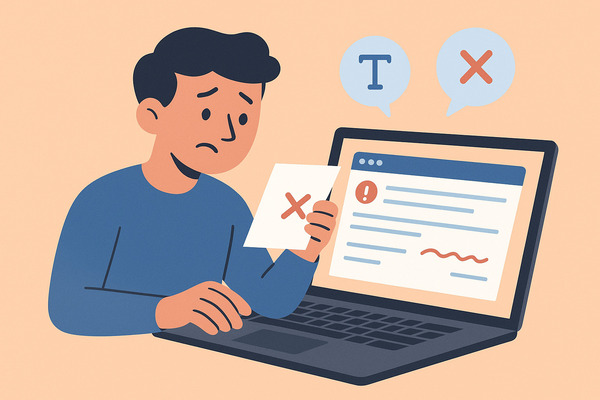
If you’ve ever received an email that left you confused, annoyed, or questioning the sender’s professionalism, you’ve experienced the impact of bad emails firsthand. These emails can include vague subject lines, unclear messages, poor grammar, inappropriate tone, or even being sent to the wrong recipient. Such mistakes can damage professional relationships and weaken communication effectiveness. For practical ways to write clearer, more structured messages, check out how to improve the clarity of your email.
Whether you’re sending cold emails for business outreach, marketing campaigns, or internal communications, understanding the common pitfalls of bad emails and learning how to fix them is essential for success.
In this article, we’ll explore common mistakes in poorly written emails using real examples and provide practical tips to improve them. You’ll learn how a clear and specific subject line can help your recipient understand your message quickly, why breaking up large blocks of text into paragraphs and bullet points boosts readability, and the importance of avoiding grammar and spelling errors.
Additionally, we’ll emphasize the value of including a clear call to action to guide your reader towards the desired response. Whether your goal is to send better business emails, enhance marketing efforts, or improve professional communication, this guide will help you create effective emails that achieve results.
And one great way to stop unwanted emails and spammy messages is by using our Cleanfox tool — completely free.
Common Pitfalls in Bad Emails
Unclear or Missing Subject Lines
One of the most frequent mistakes in bad emails is an unclear or missing subject line. Your subject line acts as the first impression and significantly impacts whether your email gets opened or ignored.
Vague subject lines like “Opportunity for You” or simply omitting the subject fail to communicate the purpose of your message, leaving recipients uncertain about its importance. Overly generic or spammy words also trigger filters or loss of interest.
Instead, your subject line should be clear, specific, and relevant to the recipient’s needs or interests to increase open rates and engagement. Avoiding the common pitfall of a poor subject line is critical, especially in cold emails or business emails where attention is limited.
Poor Grammar and Spelling
Bad grammar and spelling mistakes undermine your professionalism and distract the recipient from your message. Emails riddled with errors can make you appear careless or untrustworthy, especially when you’re trying to build professional relationships or pitch a business idea. Simple spelling errors in the subject line or body diminish credibility and suggest a lack of attention to detail.
Using tools like spell checkers or extensions like Grammarly can help you avoid these common mistakes and maintain a polished, professional tone in your emails. To take your professionalism even further, learn about email hygiene best practices that help keep your inbox organized and efficient.
Inappropriate Tone and Style
The tone and style of your email must be appropriate for the context and recipient. A bad email often suffers from either being too casual or too formal, making the message seem out of place.
For example, starting with “Hello hope well” can come across as vague and insincere, while overly long paragraphs or marketing language without a clear call to action can confuse or bore the reader. Cold emails especially demand a professional tone that is both friendly and respectful, resonating with the recipient without excessive jargon.
Breaking large chunks of text into smaller paragraphs or bullet points improves readability and helps communicate your message effectively, ensuring your recipient understands and is more likely to respond positively.
Examples of Bad Emails and Their Fixes
Vague Subject Line Turned Specific
Let’s start with the subject line—your recipient’s first clue about what your email contains. A bad email example might use a vague subject line like “You’re Invited!” or “Business Partnership Request,” which leaves the reader guessing about the true purpose of your message. These generic phrases are at high risk of being ignored or marked as spam because they fail to convey real value or urgency. And if you’ve ever wondered what happens when you open a spam email, our guide explains the risks and how to stay safe.
Instead, make your subject clear and specific to the recipient. For instance, “Quick Call: Review Your Project Proposal?” or “Jane from [Company]: Your Feedback on Recent Delivery” immediately signals relevance and intent, making it far more likely your email will be opened and read.
When your subject is direct and tailored, you respect your recipient’s time and get right to the point—no mystery, no guesswork.
Grammar Fails and Their Corrections
Grammar and spelling mistakes are more than embarrassing—they undermine your credibility. A subject line like “Get Rank on Frist Page of Google” is unprofessional and likely to be flagged by spam filters. Typos in the body, such as “I hope your doing well” instead of “I hope you’re doing well,” or “recieve” instead of “receive,” can make your message harder to understand and suggest carelessness.
Always proofread your emails, use spell checkers, and consider tools like Grammarly to catch errors before you send. Small improvements, like ensuring proper capitalization and punctuation, go a long way in crafting good business emails that your recipient can trust.
Adjusting Tone and Style for Audience
Tone and style matter—a lot. Starting a cold email with “Hey, hope you’re well!” can feel too casual for a first introduction to a business contact, while a long, formal paragraph packed with jargon can alienate the recipient.
Instead, match your tone to your audience. For a professional contact, a friendly but respectful opening works well, such as “Hello [Name], I hope this message finds you well.” Break long blocks of text into short paragraphs or use bullet points for clarity and readability. Avoid overly salesy language or clickbait phrases like “Chris, you won’t believe what we have in store for you!!!” which may trigger spam filters or simply annoy the reader.
The right blend of warmth, clarity, and professionalism helps your message resonate and gets you closer to building genuine professional relationships.
Best Practices for Effective Email Communication

Say goodbye to spam, clutter, and chaos.
Our smart email cleaner filters out junk, organizes your inbox, and helps you focus on what really matters.
✅ Block spam automatically
✅ Organize emails by priority
✅ Keep your inbox clean
✅ Clean old emails you don’t read
📱 Available on the App Store and Google Play.


Subject Lines That Capture Attention
Your email’s subject line is the gateway to getting noticed in a crowded inbox. To capture attention, make your subject lines clear, specific, and tailored to the recipient’s interests or needs. Use actionable language that entices the reader to open the message, such as “Last chance: Your special offer expires tonight” or “Quick update on your project status”.
Including a sense of urgency or exclusivity—like “Exclusive invitation” or “Limited time offer”—can also boost open rates by creating a feeling that the email requires immediate attention. Personalizing subject lines whenever possible enhances their effectiveness by making your recipient feel seen and thereby more likely to engage.
Maintaining Clarity and Brevity
Emails should deliver their message clearly and concisely to respect the recipient’s time and improve comprehension. Avoid long, dense paragraphs by breaking your message into short paragraphs or bullet points that highlight key points. Every sentence should contribute directly to your purpose; eliminate filler words and stay focused on one topic per email.
This helps recipients quickly understand your message and the desired action, reducing the risk of misunderstandings or ignored requests. Brevity in your emails also aids readability across devices, especially smartphones, where users often scan messages rather than reading every word.
Professionalism in Email Formatting
Professional email formatting ensures your message looks polished and is easy to navigate. Begin with a proper greeting that suits the relationship and context, avoiding overly informal openings like “Hey” unless appropriate. Use a clean, readable font and avoid excessive colors or emojis in professional settings.
Structuring your email with a clear introduction, body, and conclusion helps the recipient follow your message. If you want a step-by-step breakdown of how to structure emails professionally, see our complete guide to professional email format. Include a straightforward call to action so the recipient knows exactly what to do next.
Finally, always proofread to avoid grammar and spelling mistakes, which can damage your credibility and the effectiveness of your communication. Proper formatting combined with a professional tone makes your emails easier to read and respond to, building stronger business relationships.
Conclusion
No matter the context—business emails, marketing messages, or cold emails—your email writing habits play a vital role in shaping your professional relationships and outcomes. Remember to always craft a subject line that is clear and specific to immediately capture attention. Keep your message concise, error-free, and adopt a tone that resonates with your audience. To enhance readability, avoid large chunks of text by using paragraphs and bullet points. Always close with a clear call to action so your recipient knows the next step.
By focusing on professionalism, clarity, and respecting your reader’s time, you’ll elevate your email communication and significantly increase the likelihood of a positive response. Not all bad emails are spam — learn the difference between junk email and spam to better manage what lands in your inbox.
Apply these principles in your next email and experience the results for yourself.
FAQ
What are the most common mistakes that make emails ineffective or frustrating to readers?
Common ineffective email mistakes include unclear subject lines, poor greetings, spelling or grammar errors, and using all caps, which feels like shouting. Other issues involve sending emails to the wrong or unnecessary recipients, lacking a proper closing or signature, and assuming privacy in emails.
Tone mistakes and unfinished drafts also contribute to frustrating readers.
How can I fix bad email subject lines to improve open rates and build trust with recipients?
To fix bad email subject lines, keep them concise (under 42 characters), clear, and benefit-focused. Use action verbs, personalize when possible, and directly reference the email content.
Avoid overly clever or vague language, limit punctuation, and use urgency sparingly. Testing variations can help optimize open rates and build trust.
What are best practices for avoiding grammar and spelling mistakes in business emails?
To avoid grammar and spelling mistakes in business emails, proofread carefully, use proper capitalization, and ensure correct punctuation. Avoid an overly casual tone and excessive capitalization.
Include a formal greeting, a clear and concise subject line, and always add a professional signature.
How many call-to-action (CTA) buttons should I include in an email to avoid confusing or annoying recipients?
To avoid confusing or annoying recipients, include one clear CTA button per email, focusing on a single, specific action aligned with your goal. If multiple CTAs are necessary, limit them to two, ensuring they are related and properly organized. Testing is important to determine what works best for your audience. Overloading with CTAs can dilute the message and lower engagement.
